
Introduction
Welcome to the Novatech Developers Guide, your go-to resource listing the services and solutions that we can currently provide to your business from a technical perspective.
Novatech offer complete managed services solutions which include the automation of a number of key tasks when dealing with large remote workforces. Our packages can also be tailored to your required level of integration and development experience.
We currently work with some of the big players in the finance and energy markets to support their continued growth, we ensure that their remote employees are fully equipped with everything they require from day one with our bespoke onboarding processes.
Services Overview
This guide is split into the following sections:
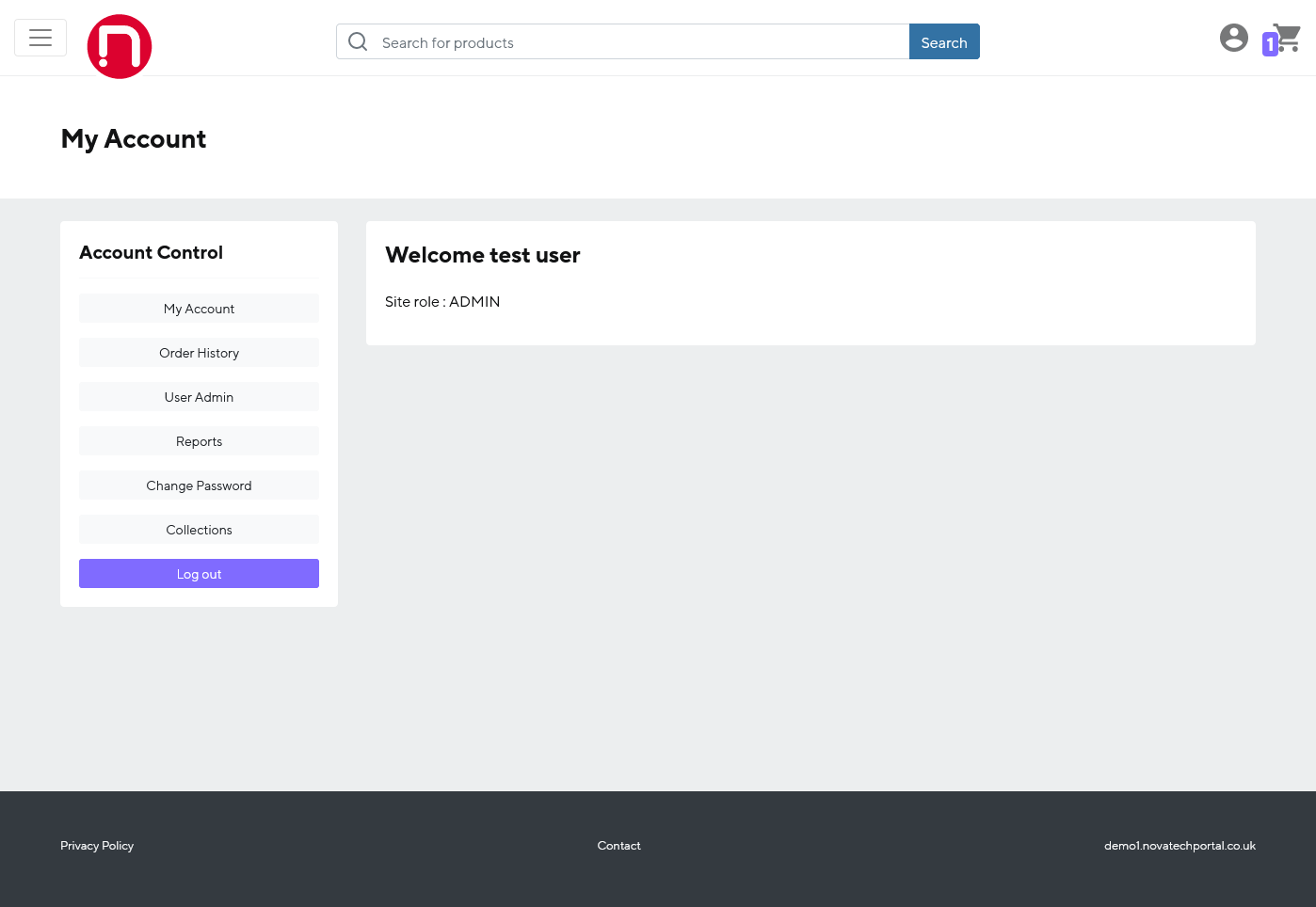
Novatech Sales Portals - Custom styled online shopping portals that can offer predefined products, pricing, user levels and delivery addresses allowing your in-house purchasing/admin team to place orders for equipment, run reports and manage collections/returns.
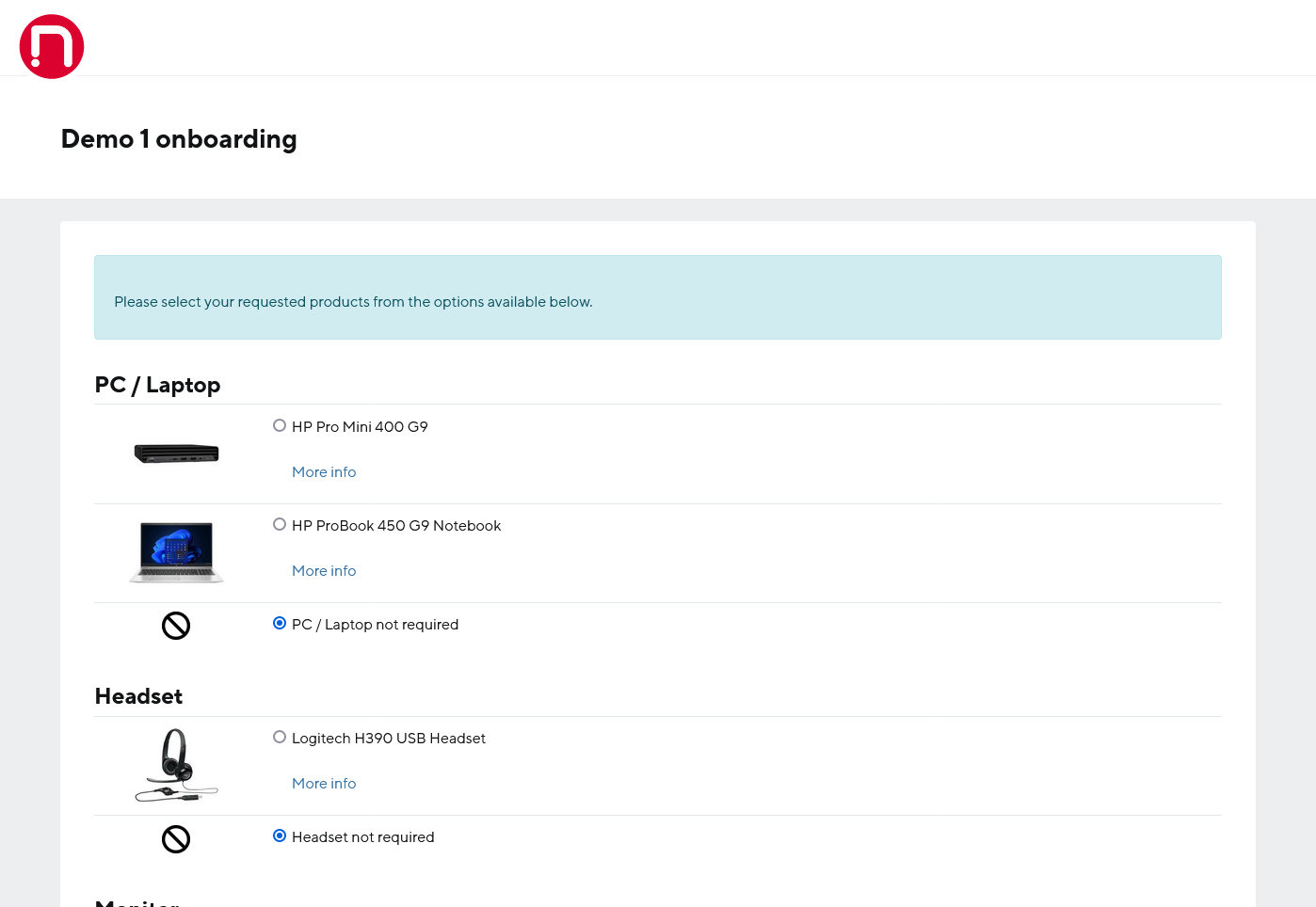
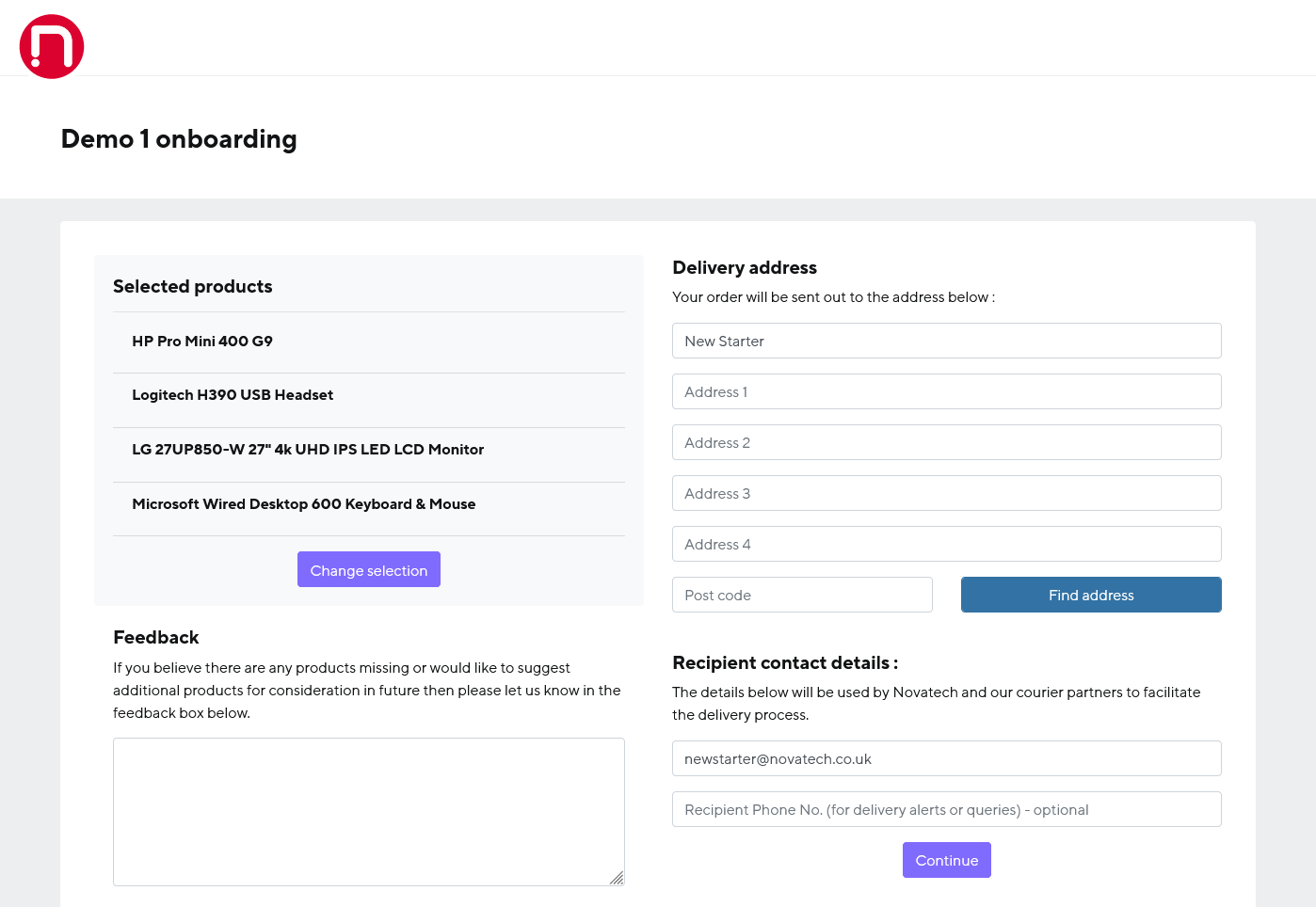
Novatech Onboarding Portals - We can automate your employee onboarding process by allowing you to send your new remote employees an email / SMS notification with a link that allows them to choose from predefined equipment options that you have selected to be delivered on time and ready for them to start work.
Novatech API - Prefer to create orders, check stock levels as well as get dispatch and tracking information through your own systems? No problem we have a number of secure API endpoints to allow you to integrate our processes into your existing applications as well as a full staging environment to test everything out before you go live.
We have you covered
Our long term experience in providing IT solutions means that we can also help with many other parts of your day to day business.
From planning, procurement, and provisioning, to repairs, refurbishing, and eventual retirement of your hardware, we can take care of it all, allowing you to confidently deliver your IT strategy at any scale.
All of Novatech's services, solutions and systems are developed in house by our very own development team. As we have complete control, new features can be discussed and added as products start to evolve. Discussions about technical details and project progress are easily facilitated, which means integration, troubleshooting and system change requests can be provided quickly and efficiently.
If you are interested in enabling or learning more about any of these services or you require something we've not mentioned then please speak to one of our account managers who will be happy to advise further.
Sales portal overview
Our internal sales portals are designed to give your internal/asset purchasing team the ability to place orders directly in order to fulfil your companies IT equipment needs.
Sales portal features
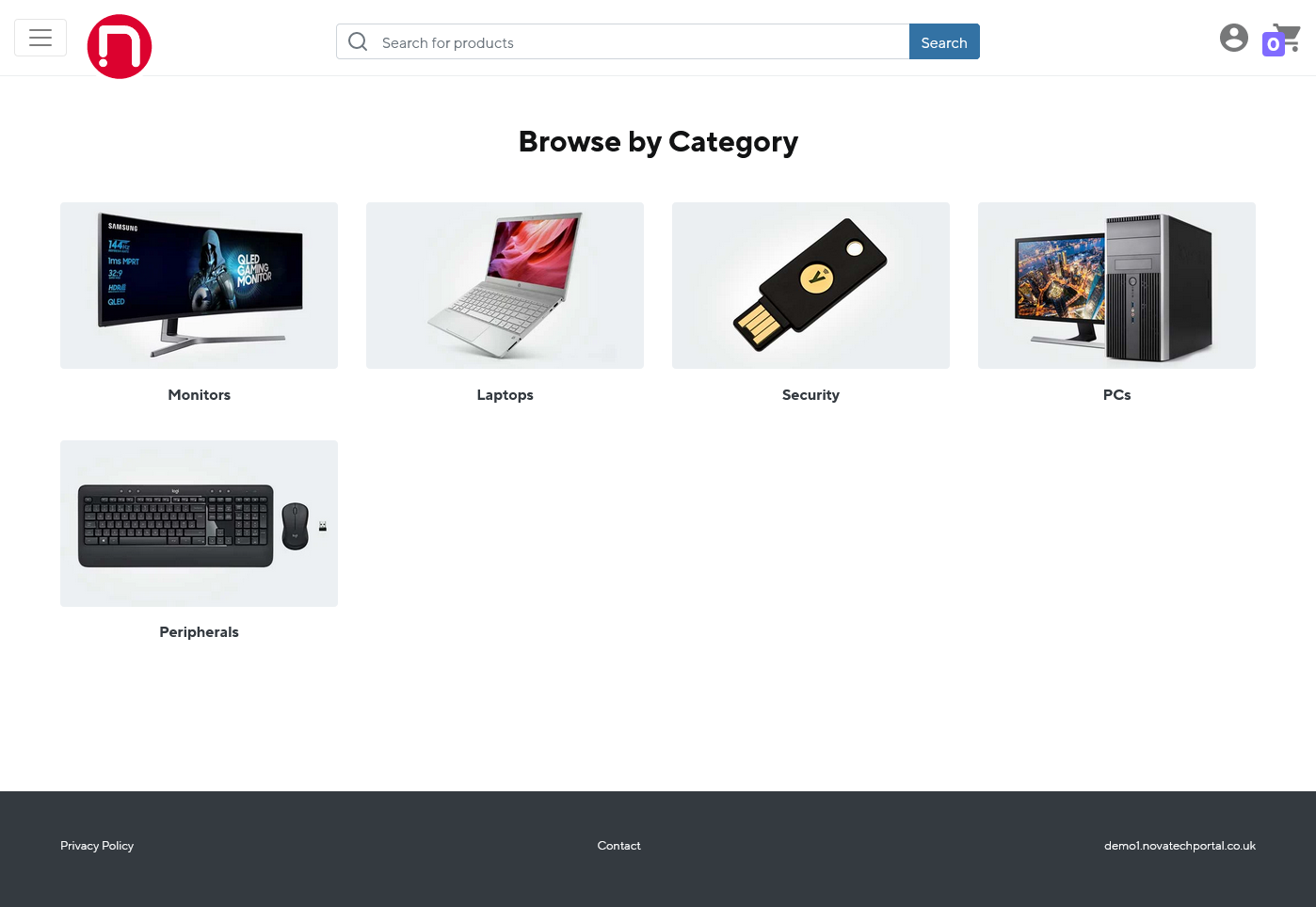
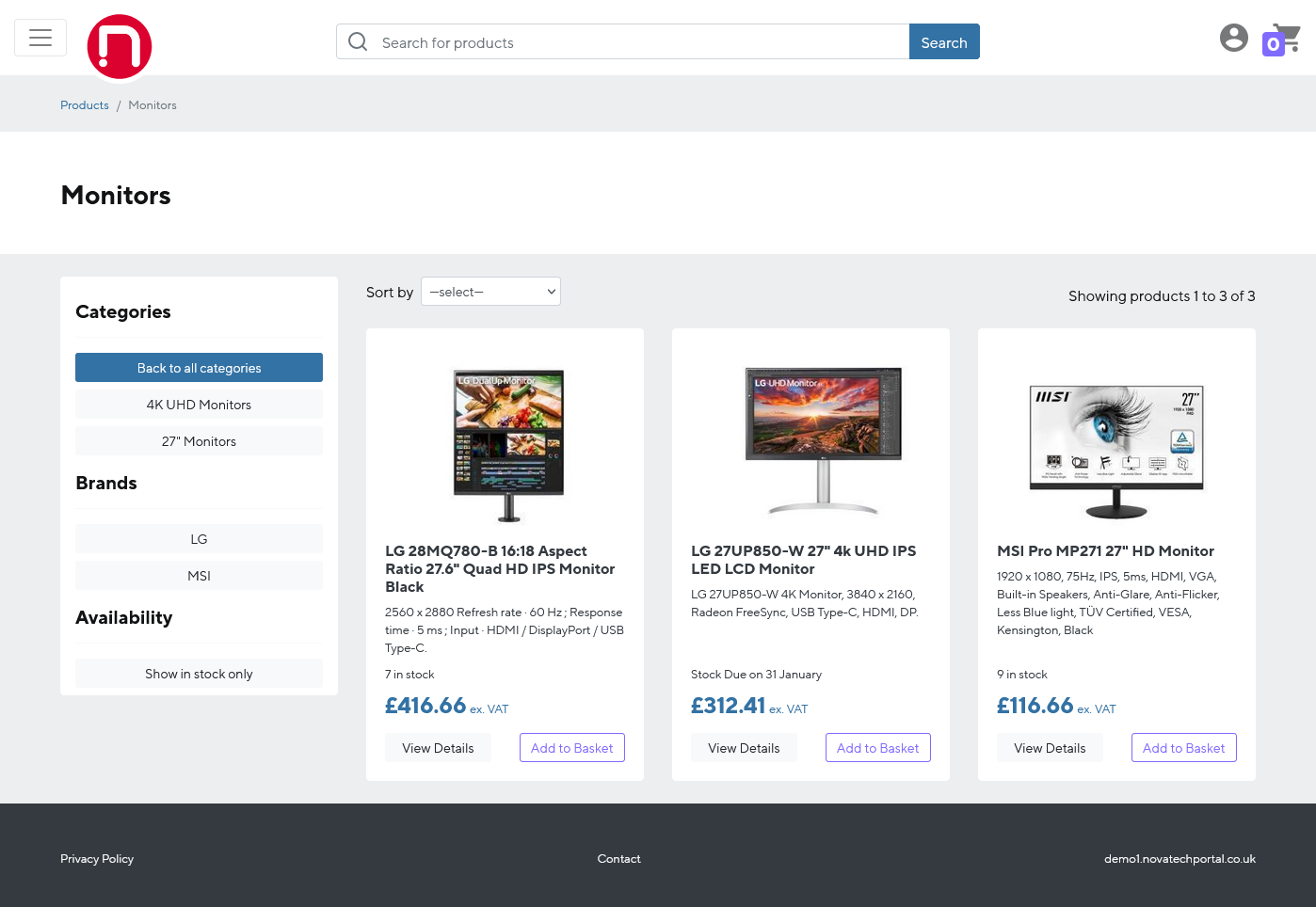
No need to sift through thousands of products: A list of pre-approved products and pricing can be added and tailored to your needs by your account manager.
Delivery addresses can be predefined and fixed or entered at the point of order.
User accounts can be added/removed by request to your account manager or we can provide SSO (Single Sign On) automatic user provisioning via SCIM/SAML with current support for Okta and Microsoft Entra platforms.
Permissions can be customised and set on a per user basis.
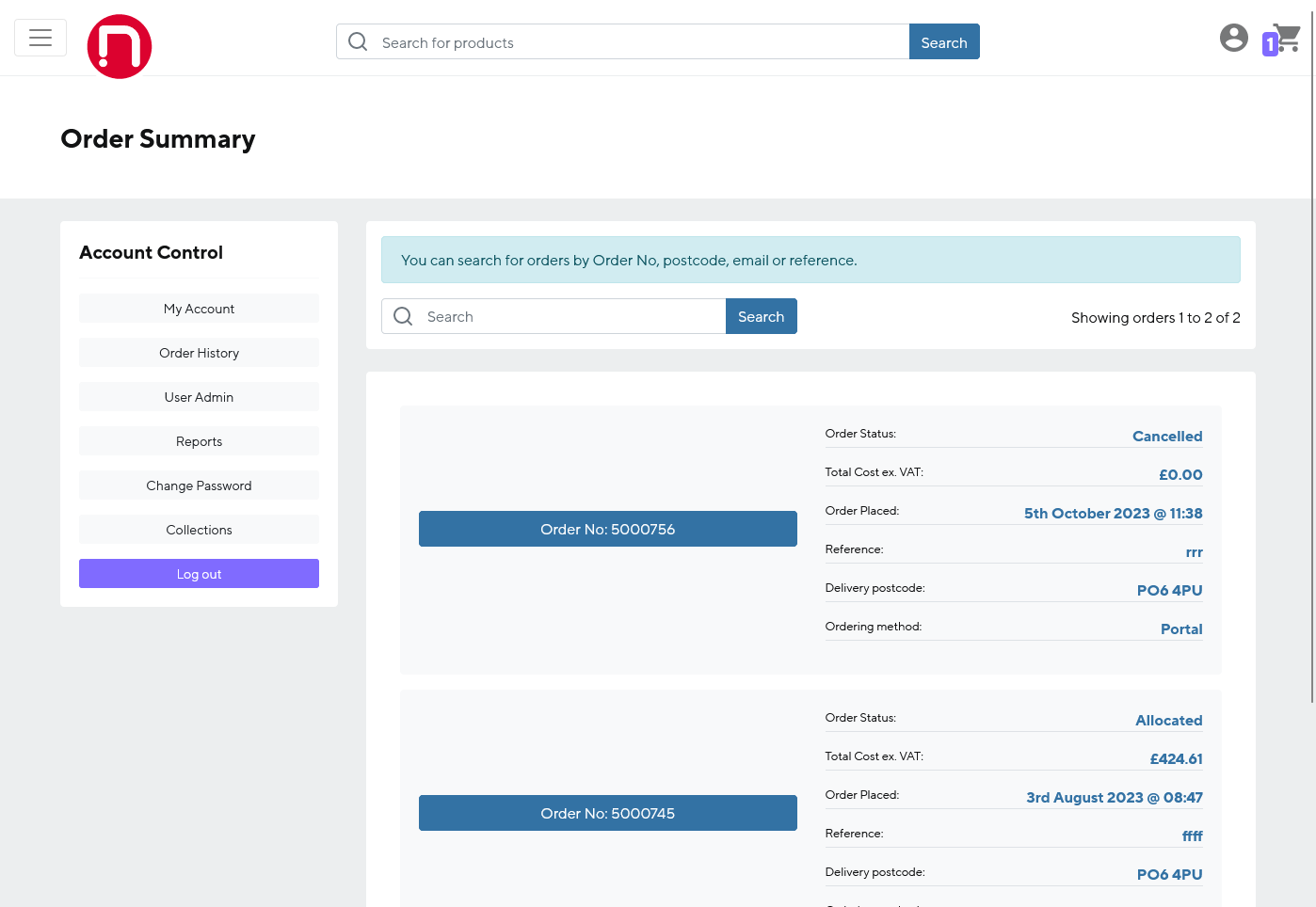
Purchasers can see their order history and arrange collections for items if there are any problems.
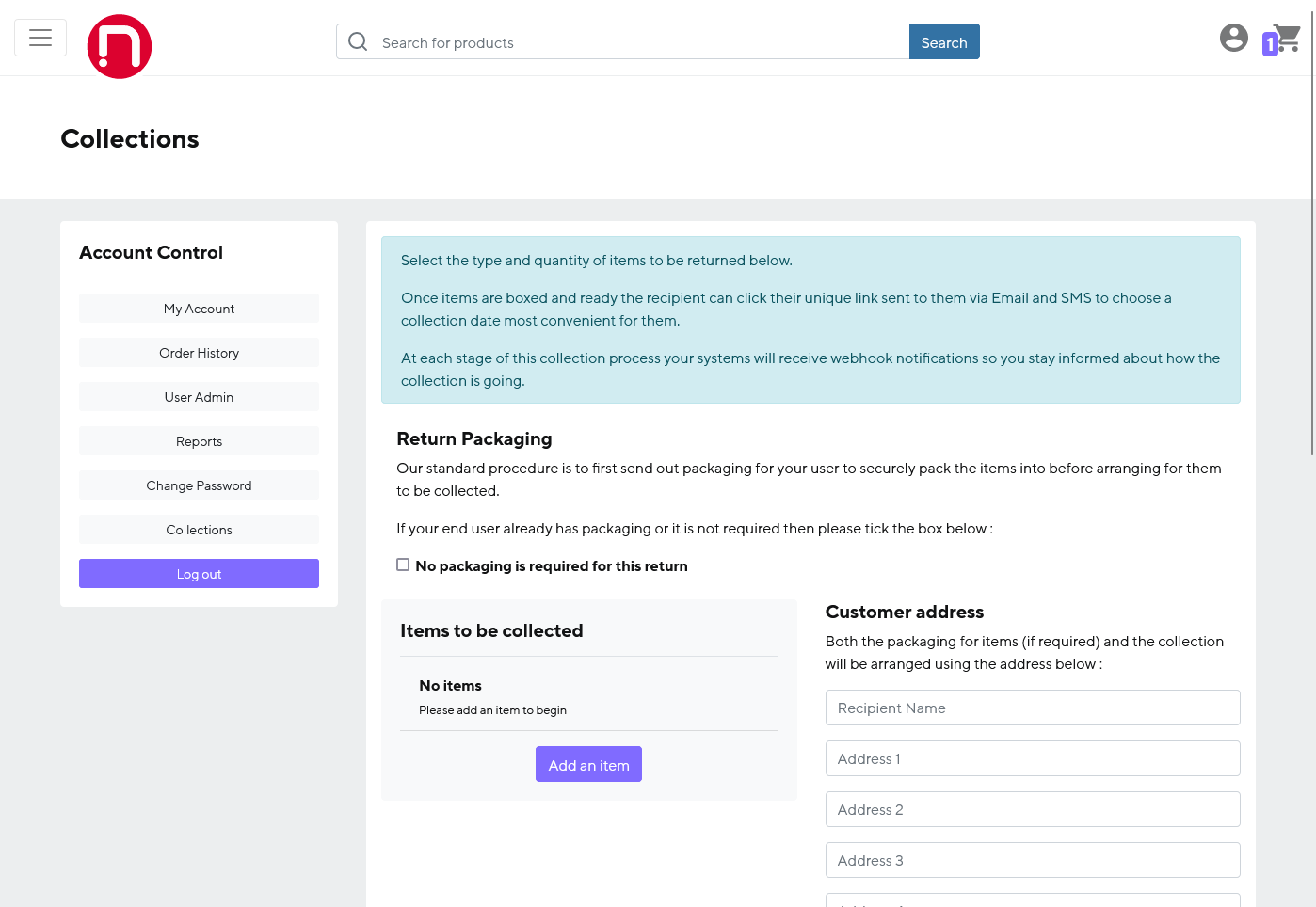
Collections for pre-existing assets can be arranged and packaging delivered before hand to ensure items get back to us safely.
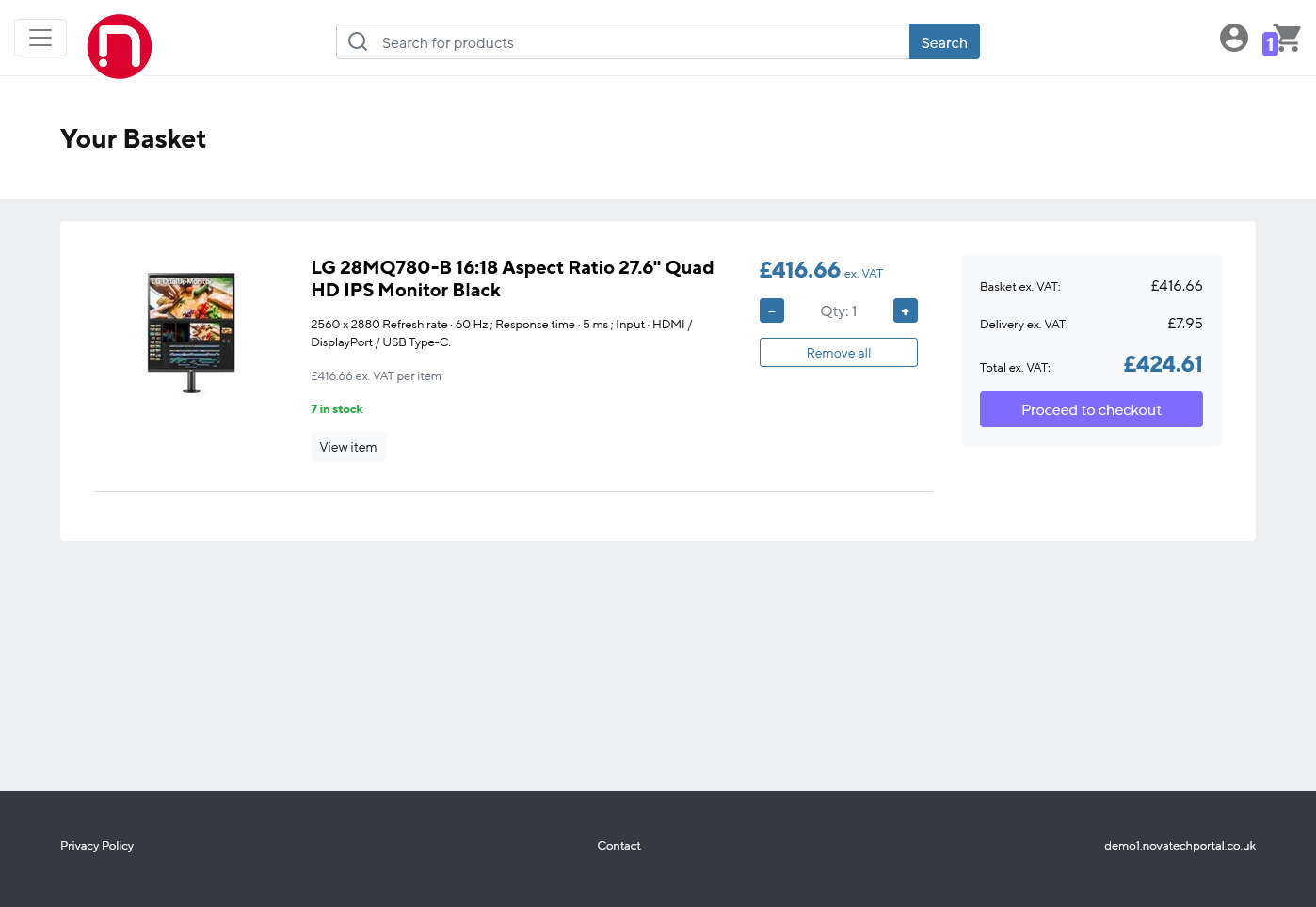
Associated products and mandatory addons can be set up to make sure your team order the correct accessories.
Custom reporting is available by request.
Sales portal permissions
| Role | User management (unlocking, password reset) | Reports (stocklist, assets) | Place orders | Cancel orders | View orders | Browse products |
|---|---|---|---|---|---|---|
| ADMIN | YES |
YES |
YES |
YES |
ALL |
YES |
| PURCHASER | NO |
NO |
YES |
OWN or ALL |
OWN or ALL |
YES |
| AUDITOR | NO |
YES |
NO |
NO |
ALL |
YES |
| GUEST | NO |
NO |
NO |
NO |
NO |
YES |
Sales portal personalisation
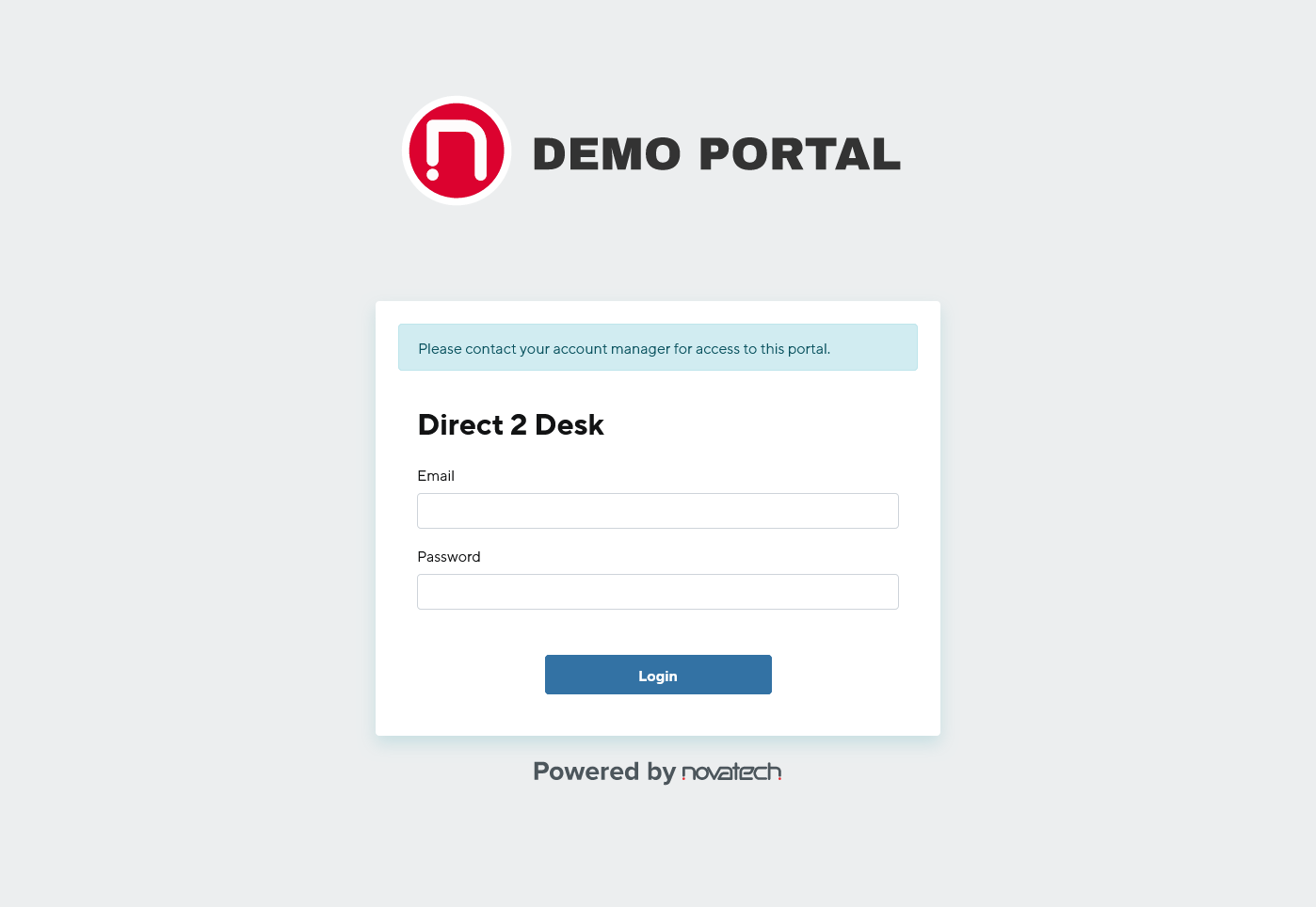
Each sales portal can be customised with your own logos and colour schemes to fit with your companies branding.
Screenshots

Onboarding portal overview
Onboarding portal personalisation
Onboarding portal user levels
Screenshots

API Introduction
The Novatech development team have put together this API documentation with all examples in the hope to make integration easier for other developers.
If you do find any errors or have problems with getting any of the endpoints to function as expected then do not hesitate to reach out to your account manager or your development contact.
Testing - Postman
We recommend using the desktop app for the Postman API platform for developers which can make testing the endpoints a lot easier, we have written a test collection that you can import to speed up the whole process.
Testing - Webhooks
When using our test api you can also do temporary webhook testing with no further setup by using https://webhook.site please ensure none of the test data you use whilst testing is of a personal nature as this is publicly viewable.
Authentication
The Novatech API uses JSON Web Tokens to authenticate your access. In order to generate a token your account will need to be API enabled, upon which you will be given a username and password combination.
Using these credentials you authenticate to the server and receive a token. Once you have received your token, you must include it in all API requests to the server in a header that looks like the following:
Authorization: Bearer eyJhbGciOiJIUzI1NiJ9.eyJzdWIiOiJkZWFuLndpbGxpYW1zQG5vdmF0ZWNoLmNvLnVrIiwidG9rZW4iOiIxMDNkMTFhNC1jODdhLTQxMDgtOTIwNS1jMTUxZDM4YjY3YmQiLCJleHAiOjE1MzkwMDY2MjR9.19DQ_uwE5Ye1ALrwiW9o7wsMhoetUqDLQMNcFCxwtEc
Authorisation tokens are returned with an expiry time. It is entirely up to you if you choose to generate a new token before every request or if you would prefer to store your token for re-use and look out for an authentication error before generating a new one.
Get token
HTTP Request
Request Parameters
| Parameter | Type | Position | Required | Description |
|---|---|---|---|---|
String |
Body |
Yes |
The username/email address for your API account. | |
| password | String |
Body |
Yes |
The password for your account. |
JSON Response Object
| Parameter | Type | Description |
|---|---|---|
| token | String |
A token that must be sent in the header of all further requests that require authentication. |
| expires_on | Date |
The time that the token will expire. |
Example Curl request
curl --request POST \
  --url https://test-api.novatech.co.uk/token/get \
  --header 'Content-Type: application/json' \
  --data '{ "email":"test.email@novatech.co.uk", "password":"aVeryLongAndSecurePassword" }'
200 OK Response
{
    "token": "eyJhbGciOiJIUzI1NiJ9.eyJzdWIiOiJkZWFuLndpbGxpYW1zQG5vdmF0ZWNoLmNvLnVrIiwidG9rZW4iOiIxMDNkMTFhNC1jODdhLTQxMDgtOTIwNS1jMTUxZDM4YjY3YmQiLCJleHAiOjE1MzkwMDY2MjR9.19DQ_uwE5Ye1ALrwiW9o7wsMhoetUqDLQMNcFCxwtEc",
    "expires_on": "2018-10-08 14:50:24"
  }
Errors
Please see our "Errors" section for the expected response format for errors.
Change password
HTTP Request
Request Parameters
| Parameter | Type | Position | Required | Description |
|---|---|---|---|---|
String |
Body |
Yes |
The username/email address for your API account. | |
| current_password | String |
Body |
Yes |
The current password for your account. |
| new_password | String |
Body |
Yes |
The password that you wish to change to. Min length 16, max length 50. |
JSON Response Object
| Parameter | Type | Description |
|---|---|---|
| success | Boolean |
A response indicating if your password change request has been successful. |
Example Curl request
curl --request POST \
  --url https://test-api.novatech.co.uk/token/change-password \
  --header 'Content-Type: application/json' \
  --header 'Authorization: Bearer eyJhbGciOiJIUzI1NiJ9.eyJzdWIiOiJkZWFuLndpbGxpYW1zQG5vdmF0ZWNoLmNvLnVrIiwidG9rZW4iOiIxMDNkMTFhNC1jODdhLTQxMDgtOTIwNS1jMTUxZDM4YjY3YmQiLCJleHAiOjE1MzkwMDY2MjR9.19DQ_uwE5Ye1ALrwiW9o7wsMhoetUqDLQMNcFCxwtEc' \
  --data '{ "email":"test.email@novatech.co.uk", "current_password":"aVeryLongAndSecurePassword", "new_password":"aNewVeryLongAndSecurePassword" }'
200 OK Response
{
  "success":true
  }
Errors
Please see our "Errors" section for the expected response format for errors.
Get all current stock information
HTTP Request
Request Parameters
None required.
JSON Response Object
| Parameter | Type | Description |
|---|---|---|
| skus | Array |
An array of JSON objects containing stock information. |
| sku | String |
The SKU / StockCode of the product |
| description | String |
The description of the product. |
| stock_level | Integer |
The current level of free stock available for ordering. |
| price | Decimal |
The price of the product excluding VAT to 2 decimal places. |
| portal_enabled | Boolean |
If the SKU is enabled for the portal use. |
Example Curl request
curl --request GET \
  --url https://test-api.novatech.co.uk/stock \
  --header 'Authorization: Bearer eyJhbGciOiJIUzI1NiJ9.eyJzdWIiOiJkZWFuLndpbGxpYW1zQG5vdmF0ZWNoLmNvLnVrIiwidG9rZW4iOiIxMDNkMTFhNC1jODdhLTQxMDgtOTIwNS1jMTUxZDM4YjY3YmQiLCJleHAiOjE1MzkwMDY2MjR9.19DQ_uwE5Ye1ALrwiW9o7wsMhoetUqDLQMNcFCxwtEc'
200 OK Response
{
    "skus": [
      {
        "sku": "TEST-SKU01",
        "description": "Example SKU 01",
        "stock_level": 50,
        "price": 314.99
      },
      {
        "sku": "TEST-SKU02",
        "description": "Example SKU 02",
        "stock_level": 3,
        "price": 973.67
      },
      {
        "sku": "TEST-SKU03",
        "description": "Example SKU 03",
        "stock_level": 0,
        "price": 229.04
      }
    ]
  }
Errors
Please see our "Errors" section for the expected response format for errors.
Get information on a specific SKU
HTTP Request
Request Parameters
| Parameter | Type | Position | Required | Description |
|---|---|---|---|---|
| SKU | String |
URL |
Yes |
The SKU of the product you wish to receive current information for. |
JSON Response Object
| Parameter | Type | Description |
|---|---|---|
| sku | String |
The SKU / StockCode of the product. |
| description | String |
The description of the product. |
| stock_level | Integer |
The current level of free stock available for ordering. |
| price | Decimal |
The price of the product excluding VAT to 2 decimal places. |
Example Curl request
curl --request GET \
  --url https://test-api.novatech.co.uk/stock/TEST-SKU01 \
  --header 'Authorization: Bearer eyJhbGciOiJIUzI1NiJ9.eyJzdWIiOiJkZWFuLndpbGxpYW1zQG5vdmF0ZWNoLmNvLnVrIiwidG9rZW4iOiIxMDNkMTFhNC1jODdhLTQxMDgtOTIwNS1jMTUxZDM4YjY3YmQiLCJleHAiOjE1MzkwMDY2MjR9.19DQ_uwE5Ye1ALrwiW9o7wsMhoetUqDLQMNcFCxwtEc'
200 OK Response
{
    "sku": "TEST-SKU01",
    "description": "Example SKU 01",
    "stock_level": 50,
    "price": 314.99
  }
Errors
Please see our "Errors" section for the expected response format for errors.
Get all groups
HTTP Request
Request Parameters
None required.
JSON Response Object
| Parameter | Type | Description |
|---|---|---|
| groups | Array |
An array of JSON objects containing group information. |
Group Object
| Parameter | Type | Description |
|---|---|---|
| product_group_id | UUID |
A unique identifier to the internal portal product group (used for reference in other endpoints). |
| scim_id | UUID |
A unique identifier for the SCIM group provisioned to us. |
| display_name | String |
The description for your group as per provisioning. |
Example Curl request
curl --request GET \
  --url https://test-api.novatech.co.uk/portal/groups/list \
  --header 'Authorization: Bearer eyJhbGciOiJIUzI1NiJ9.eyJzdWIiOiJkZWFuLndpbGxpYW1zQG5vdmF0ZWNoLmNvLnVrIiwidG9rZW4iOiIxMDNkMTFhNC1jODdhLTQxMDgtOTIwNS1jMTUxZDM4YjY3YmQiLCJleHAiOjE1MzkwMDY2MjR9.19DQ_uwE5Ye1ALrwiW9o7wsMhoetUqDLQMNcFCxwtEc'
200 OK Response
{
  "groups": [
  {
          "product_group_id": "6e3b36c5-e895-4f4c-a224-f7cab00e7b3b",
          "scim_id": "897d2d51-566c-45ef-8310-7c4e065a1440",
          "display_name": "Tech team"
      },
      {
          "product_group_id": "80a2dcb0-f808-491e-9439-f3d3db1fc7bf",
          "scim_id": "34780516-a2de-48b7-a632-51c258e077aa",
          "display_name": "Engineering team",
      }
  ]
                      }
Errors
Please see our "Errors" section for the expected response format for errors.
Get stock in group
HTTP Request
Request Parameters
| Parameter | Type | Position | Required | Description |
|---|---|---|---|---|
| PRODUCT_GROUP_ID | UUID |
URL |
Yes |
The unique identifier of the group you wish to receive current information for. |
JSON Response Object
| Parameter | Type | Description |
|---|---|---|
| product_group_id | UUID |
A unique identifier to the internal portal product group. |
| skus | Array |
An array of JSON objects containing stock information. |
SKU Object
| Parameter | Type | Description |
|---|---|---|
| sku | String |
The SKU / StockCode of the product |
| description | String |
The description of the product. |
| stock_level | Integer |
The current level of free stock available for ordering. |
| price | Decimal |
The price of the product excluding VAT to 2 decimal places. |
| portal_enabled | Boolean |
If the SKU is enabled for the portal use. |
Example Curl request
curl --request GET \
  --url https://test-api.novatech.co.uk/portal/groups/stock/07594101-65af-4349-b3c1-5c72242a9660 \
  --header 'Authorization: Bearer eyJhbGciOiJIUzI1NiJ9.eyJzdWIiOiJkZWFuLndpbGxpYW1zQG5vdmF0ZWNoLmNvLnVrIiwidG9rZW4iOiIxMDNkMTFhNC1jODdhLTQxMDgtOTIwNS1jMTUxZDM4YjY3YmQiLCJleHAiOjE1MzkwMDY2MjR9.19DQ_uwE5Ye1ALrwiW9o7wsMhoetUqDLQMNcFCxwtEc'
200 OK Response
{
  "product_group_id": "07594101-65af-4349-b3c1-5c72242a9660",
  "skus": [
          {
              "sku": "CAB-C5END",
              "description": "Network Cable Connectors",
              "stock_level": 19,
              "price": 1.24,
              "portal_enabled": true
          },
          {
              "sku": "CAB-C6/2",
              "description": "Grey Cat6 Network Cable - 2m",
              "stock_level": 4,
              "price": 1.84,
              "portal_enabled": true
          }
      ]
                      }
Errors
Please see our "Errors" section for the expected response format for errors.
Set stock in group
HTTP Request
Request Parameters
| Parameter | Type | Position | Required | Description |
|---|---|---|---|---|
| PRODUCT_GROUP_ID | UUID |
URL |
Yes |
The unique identifier of the group you wish to receive current information for. |
| skus | Array |
Body |
Yes |
An array of strings referencing the SKUs/stockcodes you want to associate to the group. |
JSON Response Object
| Parameter | Type | Description |
|---|---|---|
| success | Boolean |
A boolean indication of whether the update was successful. Note: If there is an error such as an invalid SKU the operation will not update the group at all and you receive an error response instead. |
Example Curl request
curl --request POST \
  --url https://test-api.novatech.co.uk/portal/groups/stock/07594101-65af-4349-b3c1-5c72242a9660 \
  --header 'Authorization: Bearer eyJhbGciOiJIUzI1NiJ9.eyJzdWIiOiJkZWFuLndpbGxpYW1zQG5vdmF0ZWNoLmNvLnVrIiwidG9rZW4iOiIxMDNkMTFhNC1jODdhLTQxMDgtOTIwNS1jMTUxZDM4YjY3YmQiLCJleHAiOjE1MzkwMDY2MjR9.19DQ_uwE5Ye1ALrwiW9o7wsMhoetUqDLQMNcFCxwtEc' \
  --header 'Content-Type: application/json' \
  --data '
  {
    "skus": [
      "CAB-C5END", "CAB-C6/2"
    ]
  }'
200 OK Response
{
  "success": true
                      }
Errors
Please see our "Errors" section for the expected response format for errors.
Place an order
HTTP Request
Request Parameters
| Parameter | Type | Position | Required | Description |
|---|---|---|---|---|
| order_number | String |
Body |
Yes |
Your purchase order reference. (can be anything you like) Max length 14. |
| deliver_to | Object |
Body |
Yes |
JSON object containing delivery information. |
| order_lines | Array |
Body |
Yes |
An array of JSON order_line objects identifying which products and their quantity you wish to order. There must be at least one object in the array. |
deliver_to Request Object
| Parameter | Type | Position | Required | Description |
|---|---|---|---|---|
| name | String |
Body |
Yes |
The name of the person the order is to be delivered to. Min length 5, max length 30. |
| address_lines | String Array |
Body |
Yes |
An array of address line strings. There must be at least two lines in the array. Max line length 30, max number of lines 4. |
| postal_code | String |
Body |
Yes |
The post code of the address for delivery. Max length 8. |
| email_address | String |
Body |
Yes |
The email address of the recipient. Max length 254. |
| phone_number | String |
Body |
Yes |
The phone number of the recipient. Max length 30. |
order_line Request Object
| Parameter | Type | Position | Required | Description |
|---|---|---|---|---|
| sku | String |
Body |
Yes |
The SKU of the product you wish to order. Max length 10. |
| quantity | String |
Body |
Yes |
The quantity of the SKU you wish to order. Min 1. |
JSON Response Object
| Parameter | Type | Description |
|---|---|---|
| trade_code | String |
Novatech's internal code for your credit account. |
| order_number | String |
Your purchase order number that you passed in with the order request. |
| novatech_order_number | Integer |
Our unique order number. You will likely need to store this for performing additional requests against this order later. |
| order_date | Date |
The date the order was placed on our system. |
| order_status | String |
The current status of the order. A detailed list of order statuses is given below. |
| ex_vat_total | Decimal |
The ex VAT total of the order. |
| vat | Decimal |
The amount of VAT payable on the order. |
| inc_vat_amount | Decimal |
The inc VAT total of the order. |
| order_lines | Array |
An array of JSON objects detailing each line on the order, usually containing an additional line for delivery. |
order_line Response Object
| Parameter | Type | Description |
|---|---|---|
| status | String |
The current status of the order line. A detailed list of order line statuses is given below. |
| description | String |
The description of the product on this order line. |
| quantity | Integer |
The quantity of product ordered on this line. |
| price | Decimal |
The ex VAT price of the product on this line. |
| ex_vat_total | Decimal |
The total ex VAT price of the product on this line i.e. quantity * price. |
| vat | Decimal |
The amount of VAT payable on this order line. |
| inc_vat_total | Decimal |
The inc VAT total amount of the product on this line i.e. quantity * (price + vat). |
| sku | String |
The product SKU on this order line. |
Example Curl request
curl --request POST \
  --url https://test-api.novatech.co.uk/order \
  --header 'Authorization: Bearer eyJhbGciOiJIUzI1NiJ9.eyJzdWIiOiJkZWFuLndpbGxpYW1zQG5vdmF0ZWNoLmNvLnVrIiwidG9rZW4iOiIxMDNkMTFhNC1jODdhLTQxMDgtOTIwNS1jMTUxZDM4YjY3YmQiLCJleHAiOjE1MzkwMDY2MjR9.19DQ_uwE5Ye1ALrwiW9o7wsMhoetUqDLQMNcFCxwtEc' \
  --header 'Content-Type: application/json' \
  --data '
  {
    "order_number": "MONZ0001",
    "deliver_to": {
      "name": "Joe Smith",
      "address_lines": [
        "1 Hamilton Road",
        "Portsmouth"
      ],
      "postal_code": "PO6 4PU",
      "email_address": "customer@company.com",
      "phone_number": "07171071071"
    },
    "order_lines": [
      {
        "sku": "TEST-SKU01",
        "quantity": 1
      },
      {
        "sku": "TEST-SKU02",
        "quantity": 2
      }
    ]
  }'
200 OK Response
  {
    "trade_code": "API001",
    "order_number": "MONZ0001",
    "novatech_order_number": 6010361,
    "order_date": "2018-10-09 09:04:00",
    "order_status": "A",
    "ex_vat_total": 722.39,
    "vat": 144.48,
    "inc_vat_total": 866.87,
    "order_lines": [
      {
        "status": "A",
        "description": "EXAMPLE SKU 01",
        "quantity": 1,
        "price": 392.05,
        "ex_vat_total": 392.05,
        "vat": 78.41,
        "inc_vat_total": 470.46,
        "sku": "TEST-SKU01"
      },
      {
        "status": "A",
        "description": "EXAMPLE SKU 02",
        "quantity": 2,
        "price": 165.17,
        "ex_vat_total": 330.34,
        "vat": 66.07,
        "inc_vat_total": 396.41,
        "sku": "TEST-SKU02"
      },
      {
        "status": "A",
        "description": "*         ** NEXT DAY **",
        "quantity": 1,
        "price": 0,
        "ex_vat_total": 0,
        "vat": 0,
        "inc_vat_total": 0,
        "sku": "DELI01"
      }
    ]
    }
Errors
Please see our "Errors" section for the expected response format for errors.
Get all orders summary
HTTP Request
Request Parameters
| Parameter | Type | Description |
|---|---|---|
| page | Integer |
Optional - If you require more than the standard 500 results, defaults to page 1 if not supplied. |
| startDate | Date |
Optional - Start date to filter results by the date the order was placed. In the format yyyy-mm-dd. |
| endDate | Date |
Optional - End date to filter results by the date the order was placed. In the format yyyy-mm-dd. |
JSON Response Object
| Parameter | Type | Description |
|---|---|---|
| orders | Array |
An array of JSON order objects summarising each order placed with Novatech on your account. |
| info | Object |
An object containing information regarding the returned array of JSON order objects summarising the records returned. |
order Response Object
| Parameter | Type | Description |
|---|---|---|
| order_number | String |
Your purchase order number that you passed in with the order request. |
| novatech_order_number | Integer |
Our unique order number. You will need this to lookup information on the order later. |
| order_date | Date |
The date the order was placed on our system. |
| order_status | String |
The current status of the order. A detailed list of order statuses is given in the Reference - Order statuses section |
info Response Object
| Parameter | Type | Description |
|---|---|---|
| total_rows | Integer |
The total amount of order records available (affected by date filtering). |
| current_page | Integer |
The requested page via the page parameter, defaults to 1 if not specified. |
| orders_per_page | Integer |
The amount of orders returned per page (this is fixed to 500). |
| start_record | Integer |
The starting row based on the current page number and orders per page. |
| end_record | Integer |
The ending row based on the current page number and orders per page (maximum of total_rows). |
Example Curl request
curl --request GET \
  --url https://test-api.novatech.co.uk/orders
  --header 'Authorization: Bearer eyJhbGciOiJIUzI1NiJ9.eyJzdWIiOiJkZWFuLndpbGxpYW1zQG5vdmF0ZWNoLmNvLnVrIiwidG9rZW4iOiIxMDNkMTFhNC1jODdhLTQxMDgtOTIwNS1jMTUxZDM4YjY3YmQiLCJleHAiOjE1MzkwMDY2MjR9.19DQ_uwE5Ye1ALrwiW9o7wsMhoetUqDLQMNcFCxwtEc'
200 OK Response
{
    "orders": [
      {
        "order_number": "MONZ0003"
        "novatech_order_number": 6010361
        "order_date" : "2018-10-24 10:40:00",
        "order_status": "A"
      },
      {
        "order_number": "MONZ0002"
        "novatech_order_number": 6010360
        "order_date" : "2018-10-23 11:43:00",
        "order_status": "I"
      },
      {
        "order_number": "MONZ0001"
        "novatech_order_number": 6010359
        "order_date" : "2018-10-21 09:05:00",
        "order_status": "I"
      }
    ],
      "info": {
          "total_rows": 3,
          "current_page": 1,
          "orders_per_page": 500,
          "start_record": 1,
          "end_record": 3
      }
  }
Errors
Please see our "Errors" section for the expected response format for errors.
Look up order information
HTTP Request
Request Parameters
| Parameter | Type | Position | Required | Description |
|---|---|---|---|---|
| ORD_NO | String |
URL |
Yes |
The Novatech order number you are requesting information for. |
JSON Response Object
| Parameter | Type | Description |
|---|---|---|
| trade_code | String |
Your Novatech account identifier. |
| order_number | String |
Your purchase order number that you passed in with the order request. |
| novatech_order_number | Integer |
Novatech's unique order number, that you used to initiate this request. |
| order_date | Date |
The date the order was placed on our system. |
| order_status | String |
The current status of the order. A detailed list of order statuses is provided in the Reference - Order statuses section. |
| ex_vat_total | Decimal |
The ex VAT total of the order. |
| vat | Decimal |
The amount of VAT payable on the order. |
| inc_vat_total | Decimal |
The inc VAT total of the order. |
| order_lines | Array |
An array of JSON objects detailing each line on the order, usually containing an additional line for delivery. |
| dispatch_info | Array |
A array of JSON objects containing information about the dispatch of the order. The information may not be available. |
| tracking_info | Array |
A array of JSON object containing tracking information from the Novatech warehouse on the order items i.e serial numbers. |
order_line Response Object
| Parameter | Type | Description |
|---|---|---|
| status | String |
The current status of the order line. A detailed list of order line statuses is given below. |
| description | String |
The description of the product on this order line. |
| quantity | Integer |
The quantity of product ordered on this line. |
| price | Decimal |
The ex VAT price of the product on this line. |
| ex_vat_total | Decimal |
The total ex VAT price of the product on this line i.e. quantity * price. |
| vat | Decimal |
The amount of VAT payable on this order line. |
| inc_vat_total | Decimal |
The inc VAT total amount of the product on this line i.e. quantity * (price + vat). |
| sku | String |
The product SKU on this order line. |
dispatch_info Response Object
| Parameter | Type | Description |
|---|---|---|
| dispatch_number | Integer |
Novatech internal dispatch ID. |
| dispatch_date | Date |
The date the parcel was dispatched. |
| box_number | Integer |
The number of the box (if an order has to be sent in multiple boxes this will increment) |
| item_number | Integer |
The number of items in the box. |
| courier_service | String |
Which courier service was used to dispatch the goods. |
| tracking_url | String |
Depending on the courier service a tracking URL may be provided to allow you to track your parcel. |
tracking_info Response Object
| Parameter | Type | Description |
|---|---|---|
| sku | String |
The sku of the product which was tracked. |
| track_no | Integer |
Novatech internal tracking number. |
| serial_no | String |
The serial number of the product. |
| date_tracked | Date |
The date the item was scanned. |
Example Curl request
curl --request GET \
  --url https://test-api.novatech.co.uk/order/6010361 \
  --header 'Authorization: Bearer eyJhbGciOiJIUzI1NiJ9.eyJzdWIiOiJkZWFuLndpbGxpYW1zQG5vdmF0ZWNoLmNvLnVrIiwidG9rZW4iOiIxMDNkMTFhNC1jODdhLTQxMDgtOTIwNS1jMTUxZDM4YjY3YmQiLCJleHAiOjE1MzkwMDY2MjR9.19DQ_uwE5Ye1ALrwiW9o7wsMhoetUqDLQMNcFCxwtEc'
200 OK Response
{
    "trade_code": "API001",
    "order_number": "MONZ0001",
    "novatech_order_number": 6010361,
    "order_date": "2018-10-09 09:04:00",
    "order_status": "A",
    "ex_vat_total": 722.39,
    "vat": 144.48,
    "inc_vat_total": 866.87,
    "order_lines": [
      {
        "status": "A",
        "description": "EXAMPLE SKU 01",
        "quantity": 1,
        "price": 392.05,
        "ex_vat_total": 392.05,
        "vat": 78.41,
        "inc_vat_total": 470.46,
        "sku": "TEST-SKU01"
      },
      {
        "status": "A",
        "description": "EXAMPLE SKU 02",
        "quantity": 2,
        "price": 165.17,
        "ex_vat_total": 330.34,
        "vat": 66.07,
        "inc_vat_total": 396.41,
        "sku": "TEST-SKU02"
      },
      {
        "status": "A",
        "description": "*         ** NEXT DAY **",
        "quantity": 1,
        "price": 0,
        "ex_vat_total": 0,
        "vat": 0,
        "inc_vat_total": 0,
        "sku": "DELI01"
      }
    ],
    "dispatch_info": [
      {
        "dispatch_number": 3089457,
        "dispatch_date": "2018-10-09 00:00:00",
        "box_number": 1,
        "item_number": 3,
        "courier_service": "ParcelForce",
        "tracking_url": "https://www.parcelforce.com/track-trace?trackNumber=NX1212121"
      }
    ],
    "tracking_info": [
      {
        "sku": "TEST-SKU01",
        "track_no": 12006527,
        "date_tracked": "2018-10-09 13:20:34"
      },
      {
        "sku": "TEST-SKU02",
        "track_no": 11824374,
        "serial_no": "7441474-001",
        "date_tracked": "2018-10-09 13:20:34"
      },
      {
        "sku": "TEST-SKU02",
        "track_no": 11824374,
        "serial_no": "7441474-002",
        "date_tracked": "2018-10-09 13:20:34"
      }
    ]
  }
Errors
Please see our "Errors" section for the expected response format for errors.
Order status reference
All of order and orderline data objects returned as responses from the API will have a status field. Please see the tables below for the descriptions of each one.
Order Statuses
| Status | Description |
|---|---|
A (Allocated) |
All stock on the order is allocated and is awaiting approval for invoicing. |
B (Backorder) |
One or more items are currently out of stock, our purchasing team will be requesting this from our suppliers. |
H (Hold) |
The order is on Hold. Speak with your account manager. |
I (Invoiced) |
The order has invoiced and will be dispatched as soon as possible. |
D (Deleted) |
The order has been deleted. |
Order Line Statuses
| Status | Description |
|---|---|
A (Allocated) |
The line is fully allocated and awaiting invoicing. |
B (Backorder) |
The item on this line is currently out of stock, our purchasing team will be requesting this from our suppliers. |
P (Part Allocated) |
Partially allocated stock. We do not have enough stock to fulfill the total quantity on this line, our purchasing team will be requesting this from our suppliers. |
H (Hold) |
The line is on Hold. Speak with your account manager. |
I (Invoiced) |
The line has invoiced and will be dispatched as soon as possible. |
D (Deleted) |
The line has been deleted. |
Create new starter
HTTP Request
Request Parameters
| Parameter | Type | Position | Required | Description |
|---|---|---|---|---|
| name | String |
Body |
Yes |
The name of your new starter. |
String |
Body |
Yes |
The email address for your new starter (this will be the email used for communication when ordering their equipment). | |
| level | Integer |
Body |
Yes |
The level assigned for your new starter. Levels should be pre-planned with your account manager and decide what products are offered via the supplied onboarding portal link. |
| linkonly | Boolean |
Body |
Yes |
This signifies whether you require the link only for processing your new starter via your own systems or if Novatech should email the link directly. |
| mobileno | String |
Body |
No |
Optional mobile number for your new starter. Will be used to send an SMS message reminding the new starter to follow their link to order equipment. |
| startdate | Date |
Body |
No |
Optional date that your new starter is due to start work. Helps to ensure equipment is delivered before the new users are due to start work. |
| internalid | String |
Body |
No |
Optional internal ID to reference the new starter. Examples: Your internal username for the employee or their work email address. |
JSON Response Object
| Parameter | Type | Description |
|---|---|---|
| name | String |
The name that you passed in with request to create the new starter link. |
| link_only | Boolean |
The link_only indicator that you passed in with request to create the new starter link. |
| link | String |
The URL that should be followed by your new starter to be able to order their equipment. |
| level | Integer |
The level that you passed in with request to create the new starter link. |
String |
The email that you passed in with request to create the new starter link. | |
| uuid | String |
The unique identifier created for this request. (This should be stored for future cancellation requests) |
Example Curl request
curl --request POST \
  --url https://test-api.novatech.co.uk/newstarter/create \
  --header 'Content-Type: application/json' \
  --header 'Authorization: Bearer eyJhbGciOiJIUzI1NiJ9.eyJzdWIiOiJkZWFuLndpbGxpYW1zQG5vdmF0ZWNoLmNvLnVrIiwidG9rZW4iOiIxMDNkMTFhNC1jODdhLTQxMDgtOTIwNS1jMTUxZDM4YjY3YmQiLCJleHAiOjE1MzkwMDY2MjR9.19DQ_uwE5Ye1ALrwiW9o7wsMhoetUqDLQMNcFCxwtEc' \
  --data '{ "name":"test name", "email":"test.email@emaildomain.co.uk", "level":3, "linkonly":true, "mobileno":"01234567890", "startdate":"2023-11-23", "internalid":"test.email@novatech.co.uk" }'
200 OK Response
{
      "name": "test2",
      "link_only": true,
      "link": "https://test.novatechportal.co.uk/onboarding/4411C408-485B-4401-82BD-B83951B97193",
      "level": 1,
      "email": "test@test.com",
      "uuid": "4411C408-485B-4401-82BD-B83951B97193"
  }
Errors
Please see our "Errors" section for the expected response format for errors.
Cancel new starter
HTTP Request
Request Parameters
| Parameter | Type | Position | Required | Description |
|---|---|---|---|---|
| UUID | String |
URL |
Yes |
The UUID unique identifier returned to you when the new starter was first created. |
JSON Response Object
| Parameter | Type | Description |
|---|---|---|
| cancelled | Boolean |
A response indicating if your new starter link has been successfully cancelled. |
| info | String |
Additional information regarding your cancellation request. "Success" if the link has been cancelled without issue or a reason if it couldn't be cancelled "Already expired or cancelled", "Already used" or "Not found". |
Example Curl request
curl --request POST \
  --url https://test-api.novatech.co.uk/newstarter/cancel/4411C408-485B-4401-82BD-B83951B97193 \
  --header 'Content-Type: application/json' \
  --header 'Authorization: Bearer eyJhbGciOiJIUzI1NiJ9.eyJzdWIiOiJkZWFuLndpbGxpYW1zQG5vdmF0ZWNoLmNvLnVrIiwidG9rZW4iOiIxMDNkMTFhNC1jODdhLTQxMDgtOTIwNS1jMTUxZDM4YjY3YmQiLCJleHAiOjE1MzkwMDY2MjR9.19DQ_uwE5Ye1ALrwiW9o7wsMhoetUqDLQMNcFCxwtEc'
200 OK Response
{
      "cancelled": true,
      "info": "Success"
  }
Errors
Please see our "Errors" section for the expected response format for errors.
Initiate Collection Process
HTTP Request
Request Parameters
| Parameter | Type | Position | Required | Description |
|---|---|---|---|---|
| collection_reference | String |
Body |
Yes |
Your own collection or ticket reference for use in your own records. Max length 14. |
| collect_from | Object |
Body |
Yes |
JSON object containing the address you wish the goods to be collected from. (See reference in table below) |
| notification_email_address | String |
Body |
Yes |
The email of the person you wish notifications and alerts to be sent to. Max length 254. |
| notification_phone_number | String |
Body |
Yes |
The mobile phone number of the person you wish notifications and alerts about this collection to be sent to. Max length 30. |
| packaging_lines | String |
Body |
Yes |
An array of JSON objects identifying the items you wish to be collected. (See reference in table below) |
collect_from Request Object
| Parameter | Type | Position | Required | Description |
|---|---|---|---|---|
| name | String |
Body |
Yes |
The name of the person the items are to be collected from. Min length 3, max length 30. |
| address_lines | String Array |
Body |
Yes |
An array of address lines. There must be at least 2 lines in the array. Max length 30, max number of lines 4. |
| postal_code | String |
Body |
Yes |
The post code of the address for collection. Max length 8. |
packaging_line Request Object
| Parameter | Type | Position | Required | Description |
|---|---|---|---|---|
| packaging_type | String |
Body |
Yes |
The type of packaging required to collect the item in question i.e. laptop. These types will be custom to your account and need to be pre arranged with your account manager before go live. |
| asset_tag | String |
Body |
Yes |
Your products asset tag or serial number. Must be a unique identifier in order to track when we receive the item back. |
JSON Response Object
| Parameter | Type | Position | Description |
|---|---|---|---|
| supplier_order_number | String |
Body |
Novatech's unique order number. |
| collection_reference | String |
Body |
Your own collection or ticket reference. |
| collect_from | Object |
Body |
JSON object containing the address the goods are to be collected from. (See reference in table below) |
| notification_email_address | String |
Body |
The email address that will receive notifications and alerts about this collection. |
| notification_phone_number | String |
Body |
The mobile phone number that will receive notifications and alerts about this collection. |
| number_of_boxes | String |
Body |
The number of boxes to be collected by the courier. |
| created_date | String |
Body |
The date the collection was requested |
| booked | Boolean |
Body |
If the collection has been booked by the end user yet. (will always be false on creation of a new collection request) |
| collection_url | String |
Body |
The URL that the end user will need to visit to book their collection after their return packaging has arrived. This is for reference, this link would have been sent to the end user automatically. |
| assets | Array |
Body |
A JSON array containing all assets for return. (See reference in table below) |
collect_from Response Object
| Parameter | Type | Position | Description |
|---|---|---|---|
| name | String |
Body |
The name of the person the order is to be delivered to. Min length 5, max length 30. |
| address_lines | String Array |
Body |
An array of address line strings. There must be at least two lines in the array. Max line length 30, max number of lines 4. |
| postal_code | String |
Body |
The post code of the address for delivery. Max length 8. |
asset Response Object
| Parameter | Type | Position | Description |
|---|---|---|---|
| asset_tag | String |
Body |
Your products asset tag or serial number. |
| type | String |
Body |
The type of asset being returned. |
| received_back | Boolean |
Body |
If this asset has been received back yet. |
Example Curl request
curl --request POST \
          --url https://test-api.novatech.co.uk/collection/book \
          --header 'Content-Type: application/json' \
          --header 'Authorization: Bearer eyJhbGciOiJIUzI1NiJ9.eyJzdWIiOiJkZWFuLndpbGxpYW1zQG5vdmF0ZWNoLmNvLnVrIiwidG9rZW4iOiIxMDNkMTFhNC1jODdhLTQxMDgtOTIwNS1jMTUxZDM4YjY3YmQiLCJleHAiOjE1MzkwMDY2MjR9.19DQ_uwE5Ye1ALrwiW9o7wsMhoetUqDLQMNcFCxwtEc' \
          --data '{
    "collection_reference": "APITEST",
    "collect_from": {
        "name": "Joe Smith",
        "address_lines": [
            "1 Hamilton Road",
            "Portsmouth"
        ],
        "postal_code": "PO6 4PU"
    },
    "notification_email_address": "customer@company.com",
    "notification_phone_number": "07171071071",
    "packaging_lines": [
        {
            "packaging_type": "laptop",
            "asset_tag": "1234567890"
        },
        {
            "packaging_type": "laptop",
            "asset_tag": "0987654321"
        }
    ]
  }'
200 OK Response
{
    "supplier_order_number": 6195185,
    "collection_reference": "APITEST",
    "collect_from": {
      "name": "Joe Smith",
      "address_lines": [
          "1 Hamilton Road",
          "Portsmouth"
      ],
      "postal_code": "PO6 4PU"
    },
    "notification_email_address": "customer@company.com",
    "notification_phone_number": "07171071071",
    "number_of_boxes": 2,
    "created_date": "2022-07-05 13:32:59",
    "booked": false,
    "collection_url": "https://collections.novatechportal.co.uk/collection/bac5b960-168d-4e37-a548-6ae2af9e5be5",
    "assets": [
      {
          "asset_tag": "1234567890",
          "type": "LAPTOP",
          "received_back": false
      },
      {
          "asset_tag": "0987654321",
          "type": "LAPTOP",
          "received_back": false
      }
    ]
  }
Errors
Please see our "Errors" section for the expected response format for errors.
Look up collection status
HTTP Request
Request Parameters
You can search using two different search types; either using your collection reference or the asset tag, or a combination of the two.
| Parameter | Type | Position | Required | Description |
|---|---|---|---|---|
| SEARCH_TYPE | ENUM |
URL |
Yes |
Either "collection_ref" (the collection reference or ticket number you passed along when requesting the collection) or "asset_tag" (the asset tag or serial number of one of the items you requested be collected). |
| SEARCH_QUERY | String |
URL |
Yes |
Your search term. |
JSON Response Object
The response will be a JSON array of collection objects as detailed below.
collection Response Object
| Parameter | Type | Position | Description |
|---|---|---|---|
| supplier_order_number | String |
Body |
Novatech's unique order number. |
| collection_reference | String |
Body |
Your own collection or ticket reference. |
| collect_from | Object |
Body |
JSON object containing the address the goods are to be collected from. (See reference in table below) |
| notification_email_address | String |
Body |
The email address that will receive notifications and alerts about this collection. |
| notification_phone_number | String |
Body |
The mobile phone number that will receive notifications and alerts about this collection. |
| number_of_boxes | String |
Body |
The number of boxes to be collected by the courier. |
| created_date | String |
Body |
The date the collection was requested |
| booked | Boolean |
Body |
If the collection has been booked by the end user yet. (will always be false on creation of a new collection request) |
| collection_url | String |
Body |
The URL that the end user will need to visit to book their collection after their return packaging has arrived. This is for reference, this link would have been sent to the end user automatically. |
| assets | Array |
Body |
A JSON array containing all assets for return. (See reference in table below) |
collect_from Response Object
| Parameter | Type | Position | Description |
|---|---|---|---|
| name | String |
Body |
The name of the person the order is to be delivered to. Min length 5, max length 30. |
| address_lines | String Array |
Body |
An array of address line strings. There must be at least two lines in the array. Max line length 30, max number of lines 4. |
| postal_code | String |
Body |
The post code of the address for delivery. Max length 8. |
asset Response Object
| Parameter | Type | Position | Description |
|---|---|---|---|
| asset_tag | String |
Body |
Your products asset tag or serial number. |
| type | String |
Body |
The type of asset being returned. |
| received_back | Boolean |
Body |
If this asset has been received back yet. |
Example Curl request
curl --request GET \
  --url https://test-api.novatech.co.uk/collection/search?collection_ref=APITEST \
  --header 'Authorization: Bearer eyJhbGciOiJIUzI1NiJ9.eyJzdWIiOiJkZWFuLndpbGxpYW1zQG5vdmF0ZWNoLmNvLnVrIiwidG9rZW4iOiIxMDNkMTFhNC1jODdhLTQxMDgtOTIwNS1jMTUxZDM4YjY3YmQiLCJleHAiOjE1MzkwMDY2MjR9.19DQ_uwE5Ye1ALrwiW9o7wsMhoetUqDLQMNcFCxwtEc'
200 OK Response
[
      {
          "supplier_order_number": 6195185,
          "collection_reference": "APITEST",
          "collect_from": {
              "name": "Joe Smith",
              "address_lines": [
                  "1 Hamilton Road",
                  "Portsmouth"
              ],
              "postal_code": "PO6 4PU"
          },
          "notification_email_address": "customer@company.com",
          "notification_phone_number": "07171071071",
          "number_of_boxes": 2,
          "created_date": "2022-07-05 13:32:59",
          "booked": false,
          "collection_url": "https://collections.novatechportal.co.uk/collection/bac5b960-168d-4e37-a548-6ae2af9e5be5",
          "assets": [
              {
                  "asset_tag": "1234567890",
                  "type": "LAPTOP",
                  "received_back": false
              },
              {
                  "asset_tag": "0987654321",
                  "type": "LAPTOP",
                  "received_back": false
              }
          ]
      },
      {
          "supplier_order_number": 6195184,
          "collection_reference": "APITEST",
          "collect_from": {
              "name": "Joe Smith",
              "address_lines": [
                  "1 Hamilton Road",
                  "Portsmouth"
              ],
              "postal_code": "PO6 4PU"
          },
          "notification_email_address": "customer@company.com",
          "notification_phone_number": "07171071071",
          "number_of_boxes": 2,
          "created_date": "2022-06-27 11:40:51",
          "booked": false,
          "collection_url": "https://collections.novatechportal.co.uk/collection/c46e2ce6-37e2-453a-a99a-d7f114567f1f",
          "requested_collection_date": "2021-11-13 13:59:41",
          "assets": [
              {
                  "asset_tag": "1234567890",
                  "type": "LAPTOP",
                  "received_back": false
              },
              {
                  "asset_tag": "0987654321",
                  "type": "LAPTOP",
                  "received_back": false
              }
          ]
      }
  ]
Errors
Please see our "Errors" section for the expected response format for errors.
Get audit log
HTTP Request
Request Parameters
| Parameter | Type | Position | Required | Description |
|---|---|---|---|---|
| ROWS | Integer |
URL |
No |
The number of rows you want returned. Defaults to 500 if not supplied. |
JSON Response Object
| Parameter | Type | Description |
|---|---|---|
| audit_log | Array |
An array of JSON objects containing event information. (see below for object reference) |
event Response Object
| Parameter | Type | Description |
|---|---|---|
| timestamp | Date |
The time when the event occurred |
String |
The username / email that carried out the event. | |
| action | Date |
The action that was carried out. |
Example Curl request
curl --request GET \
  --url https://test-api.novatech.co.uk/audit \
  --header 'Authorization: Bearer eyJhbGciOiJIUzI1NiJ9.eyJzdWIiOiJkZWFuLndpbGxpYW1zQG5vdmF0ZWNoLmNvLnVrIiwidG9rZW4iOiIxMDNkMTFhNC1jODdhLTQxMDgtOTIwNS1jMTUxZDM4YjY3YmQiLCJleHAiOjE1MzkwMDY2MjR9.19DQ_uwE5Ye1ALrwiW9o7wsMhoetUqDLQMNcFCxwtEc'
200 OK Response
{
    "audit_log": [
      {
        "timestamp": "2018-10-24 11:40:00",
        "email": "test.email@novatech.co.uk",
        "action": "Placed order: 6010362"
      },
      {
        "timestamp": "2018-10-24 11:25:00",
        "email": "test.email@novatech.co.uk",
        "action": "Performed Stock Check"
      },
      {
        "timestamp": "2018-10-24 11:21:00",
        "email": "test.email@novatech.co.uk",
        "action": "Login: Success"
      },
      {
        "timestamp": "2018-10-24 11:20:00",
        "email": "test.email@novatech.co.uk",
        "action": "Login: Failure"
      }
    ]
  }
Errors
Please see our "Errors" section for the expected response format for errors.
Webhook Notifications
The Novatech API has the ability to send notifications directly to a one or more URL endpoints you control, but must be set up separately to standard API access.
You will need to speak to your account manager or development contact to setup webhooks for your account.
You can receive notifications for the following events:
- Order Placed
- Order Invoiced
- Order Dispatched
- Order Delivered
- Order Cancelled
- Collection Requested
- Collection Booked by End User
- Collection Confirmed by Courier
- Collection Collected
- Collection Failed
- Collection Goods In
- Collection Item Received back
- Collection Received Back
As the order moves through our systems, at each status change the API can send a POST request to a webhook you control. (See reference in table below)
JSON Body Fields
| Parameter | Type | Description |
|---|---|---|
| supplier_order_number | Integer |
Novatech's order number. |
| order_number | String |
Your order reference. |
| type | Enum |
The event type (ORDER_PLACED, ORDER_INVOICED, ORDER_DISPATCHED, ORDER_DELIVERED, ORDER_CANCELLED, COLLECTION_REQUEST, COLLECTION_BOOKED, COLLECTION_CONFIRMED, COLLECTION_COLLECTED, COLLECTION_FAILED, COLLECTION_GOODS_IN, COLLECTION_ITEM_RECEIVED, COLLECTION_RECEIVED). (See reference in table below) |
| order | JSON OBJECT |
A JSON object representing the current state of the order being referenced. (Only returned if notification is order related) Also contains an optional dispatch_info array object if the item as been dispatched and tracking_info array object if the order has been tracked in our warehouse. The tracking_info object can also contain an optional serial_no field. |
| collection | JSON OBJECT |
A JSON object representing the current state of the collection being referenced. (Only returned if notification is collection related) |
| tracking | JSON OBJECT |
A JSON object representing any additional information we have from the courier. (Only returned if the notification is delivery status or collection status related) |
| verification_signature | String |
A hex-encoded signature security string for you to check on receipt of notification to verify that it's genuine and from Novatech. |
TYPE
| Event Type | Description |
|---|---|
| ORDER_PLACED | An order has been placed on the Novatech system. |
| ORDER_INVOICED | The order has been invoiced and sent to our warehouse. |
| ORDER_DISPATCHED | The order has been dispatched and handed to the courier. |
| ORDER_DELIVERED | The order has been delivered to the recipient. |
| ORDER_CANCELLED | The order has been cancelled (pre invoice/dispatch only). |
| COLLECTION_REQUEST | You have requested we contact your end user regarding a collection. (packaging will be sent if requested) |
| COLLECTION_BOOKED | Your end user has booked their collection with the courier. |
| COLLECTION_CONFIRMED | The courier has accepted the collection request. |
| COLLECTION_COLLECTED | The courier has collected from your end user. |
| COLLECTION_FAILED | The courier has failed to collect from your end user. |
| COLLECTION_GOODS_IN | The courier has returned the items from the collection to our goods in department (unchecked). |
| COLLECTION_ITEM_RECEIVED | One or more items from this collection have been checked/booked in to our returns department. |
| COLLECTION_RECEIVED | All items have been checked/booked in to our returns department. |
Verification signature
The verification signature is calculated using the supplier_order_number, order_number and type fields. They are appended together using a fullstop as the delimiter. For example:
6010365.MONZ0002.ORDER_DISPATCHED
The string is then encoded using the HmacSHA256 algorithm using a long secret key pre-determined between Novatech and you. Finally the value is Hex encoded and included in the JSON.
Response
Each request simply expects a HTTP 200 code in response. If any other HTTP status code is received the notification will be resent later, and will continue to be so until the 200 code is received.
Example ORDER_ type JSON
{
    "supplier_order_number": 6010365,
    "type": "ORDER_DISPATCHED",
    "order_number": "MONZ0002",
    "order": {
      "trade_code": "API001",
      "order_number": "MONZ0002",
      "novatech_order_number": 6010365,
      "order_date": "2019-01-18 12:57:00",
      "order_status": "I",
      "ex_vat_total": 11.27,
      "vat": 2.25,
      "inc_vat_total": 13.52,
      "order_lines": [
        {
          "status": "I",
          "description": "2M CAT 6",
          "quantity": 1,
          "price": 3.32,
          "vat": 0.66,
          "sku": "CAB-C6/2",
          "ex_vat_total": 3.32,
          "inc_vat_total": 3.98
        },
        {
          "status": "I",
          "description": "*         ** NEXT DAY **",
          "quantity": 1,
          "price": 7.95,
          "vat": 1.59,
          "sku": "DELI01",
          "ex_vat_total": 7.95,
          "inc_vat_total": 9.54
        }
      ],
      "dispatch_info": [
        {
          "dispatch_number": 1234567,
          "dispatch_date": "2019-01-18 00:00:00",
          "box_number": 1,
          "item_number": 1,
          "courier_service": "DPD",
          "tracking_url": "http://www.dpd.co.uk/service/tracking?consignment=1234567890"
        }
      ],
      "tracking_info": [
        {
          "sku": "CAB-C6/2",
          "track_no": 1234567,
          "date_tracked": "2019-01-18 15:23:24",
          "serial_no": "abc00022"
        }
      ]
    },
    "tracking": {
          "supplier_order_number": "6010365",
          "order_reference": "MONZ0002",
          "courier": "DPD",
          "tracking_reference": "15500000000001",
          "event": "DELIVERED",
          "event_info": "Delivered, received by TEST USER Proof of Delivery SMS notification sent",
          "event_date": "2019-01-19 10:00:00"
      },
    "verification_signature": "e86f90f643284a36b486c4c5ea1c159b0ba9311b7a497c02e994bb982cb09142"
  }
Example COLLECTION_ type JSON
{
    "supplier_order_number": 6195185,
    "type": "COLLECTION_REQUESTED",
    "order_number": "APITEST",
    "collection": {
      "supplier_order_number": 6195185,
      "collection_reference": "APITEST",
      "collect_from": {
        "name": "Joe Smith",
        "address_lines": [
          "1 Hamilton Road",
          "Portsmouth"
        ],
        "postal_code": "PO6 4PU"
      },
      "notification_email_address": "customer@company.com",
      "notification_phone_number": "07171071071",
      "number_of_boxes": 2,
      "created_date": "2022-07-05 13:32:59",
      "booked": false,
      "collection_url": "https://collections.novatechportal.co.uk/collection/bac5b960-168d-4e37-a548-6ae2af9e5be5",
      "assets": [
        {
          "asset_tag": "1234567890",
          "type": "LAPTOP",
          "received_back": false
        },
        {
          "asset_tag": "0987654321",
          "type": "LAPTOP",
          "received_back": false
        }
      ]
    },
    "verification_signature": "1c5306f2fcbc112e38a24d603e80f0deb2986b20e6a3d2e6a1cbdfd1040e687e"
  }
Errors
For all of the various error response codes our system will return standard HTTP status codes along with JSON error messages in one of 2 formats.
| Error Code | Status | Description |
|---|---|---|
400 |
Bad Request |
Your request is invalid. |
401 |
Unauthorized |
Your Token or credentials are invalid / expired / missing. |
404 |
Not Found |
The URL is invalid, or the order / SKU you are attempting to look up does not exist. |
405 |
Method Not Allowed |
You tried to access an endpoint with an invalid method (POST/GET). |
415 |
Unsupported Media Type |
You requested a format that isn't json. |
500 |
Internal Server Error |
We've had a problem with our server. Try again later. |
Standard errors include a JSON response in the following format:
{
    "msg": "HTTP 415 Unsupported Media Type",
    "code": 415,
    "timestamp": "2018-10-09 10:09:17",
    "status": "Unsupported Media Type"
  }
Errors relating to JSON Objects failing validation i.e. a field is too long or has an invalid quantity then the JSON will be structured like this:
{
    "code": 400,
    "errors": [
      "deliverTo.name size must be between 5 and 30",
      "orderLineList[0].quantity must be greater than or equal to 1"
    ],
    "timestamp": "2018-10-09 10:13:19",
    "status": "Bad Request"
  }